
Roblox is one of the most popular places for children to play online, and for years the main worry parents raised was chat: who could talk to their child, and how easily. Between late 2025 and mid 2026, Roblox changed the rules substantially. This guide sets out what the company says it has changed, based on its own announcements, and what parents still need to do.
The two big changes
1. Chat now depends on an age check. Since early January 2026, users anywhere Roblox offers chat must complete an age check to use it. The check is either a facial age estimate, done through a selfie with the vendor Persona, or, for users 13 and over, ID verification. Roblox says images and video are deleted immediately after processing. A user who has not completed an age check cannot chat at all, whatever their age.
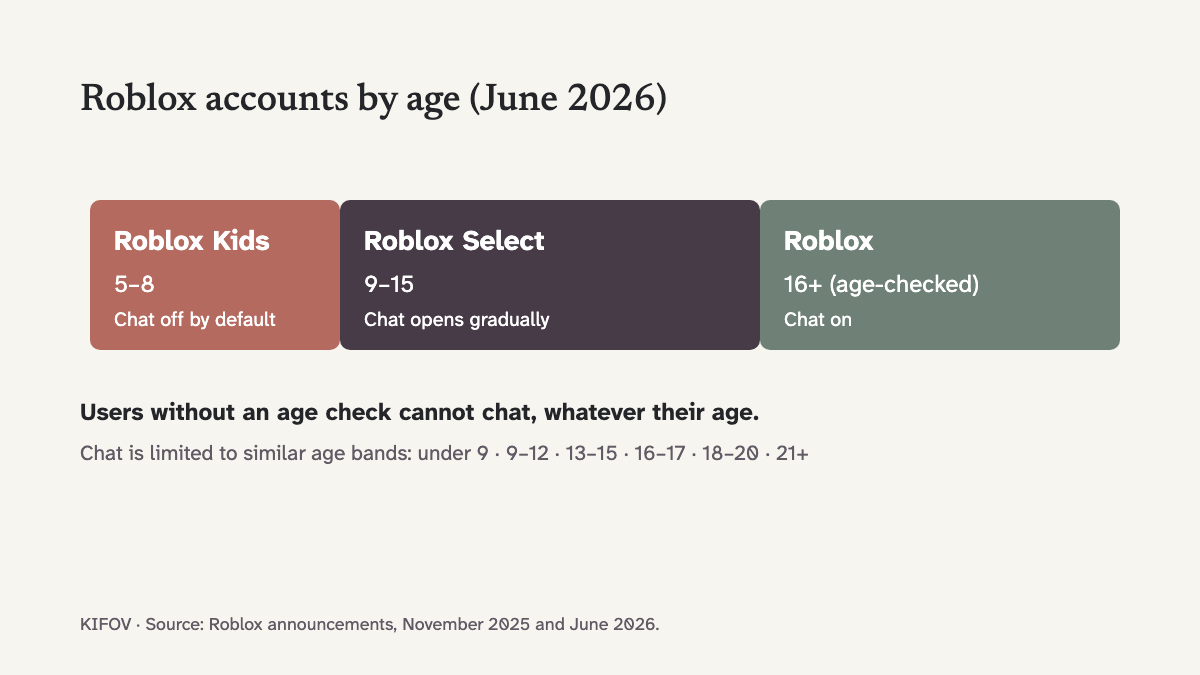
2. Accounts are now split by age. Since June 2026, Roblox places younger users into two account types:
| Account | Who | Chat by default | Content |
|---|---|---|---|
| Roblox Kids | Ages 5–8 | Off; a parent can switch it on | Games with additional review; no social hangout or free-form drawing games |
| Roblox Select | Ages 9–15 | Opens up gradually with age; parents can change it | Games with additional review |
| Roblox | Age-checked users 16+ | On | Full platform |
Users are grouped for chat into six age bands (under 9, 9–12, 13–15, 16–17, 18–20 and 21+) and can chat only with their own or similar bands. Roblox gives the example of a 12-year-old: they can chat in games with users aged 15 or younger, and users 16 or older cannot start or join a chat with them. Chat outside games is restricted for under-13s.
What you can control
Link your Roblox account to your child's to see the parental controls. According to Roblox:
- Ages 5–8: you can allow in-game text chat, limited to similar ages or Trusted Friends.
- Under 13: you can see friend lists, block or report users, approve Trusted Friend requests, and set screen-time and spending limits.
- Under 16: you can change chat settings and allow or block specific games.
- 16–18: you can see spending notifications, screen-time insights and friend lists, with less direct control.
What to keep an eye on
Trusted connections. Age-checked users 13 and over can chat more freely with people added as Trusted Connections, for example an older sibling. Know who is on that list and how they got there.
Moving the conversation elsewhere. The age bands apply only inside Roblox. Someone who wants to get around them has an obvious route: ask the child to carry on talking on another app with fewer protections. Treat a request to move to a private messenger as a reason to talk.
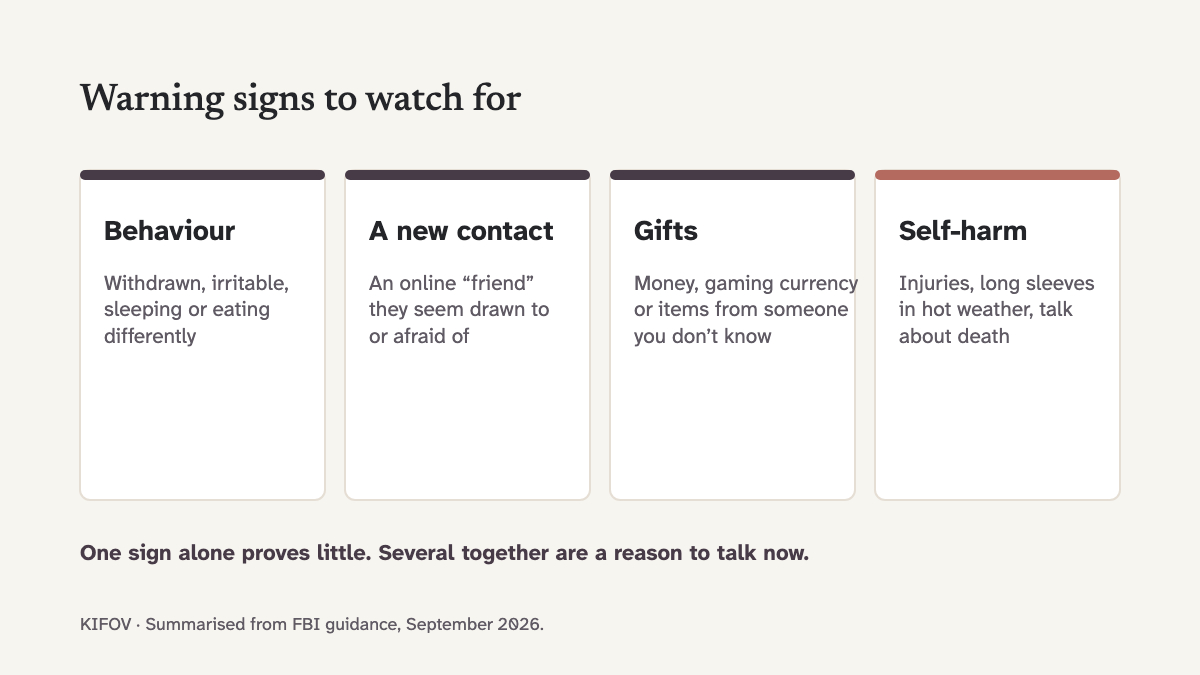
Gifts and currency. Unexplained Robux or gifts from someone your child met online are a warning sign: the FBI lists gifts of "gaming currency or other virtual items" among the indicators of exploitation.
Age checks are estimates. Facial age estimation gives an estimate, not proof, and an older child or an adult may be placed in the wrong band.
If something has happened
If someone has asked your child for images, threatened them or tried to meet them, keep the messages, report the account in Roblox, and use the services on our Report a Concern page. If a child is in danger, call the emergency number.